3.37 WiFi Piano
3.37.1 Overview
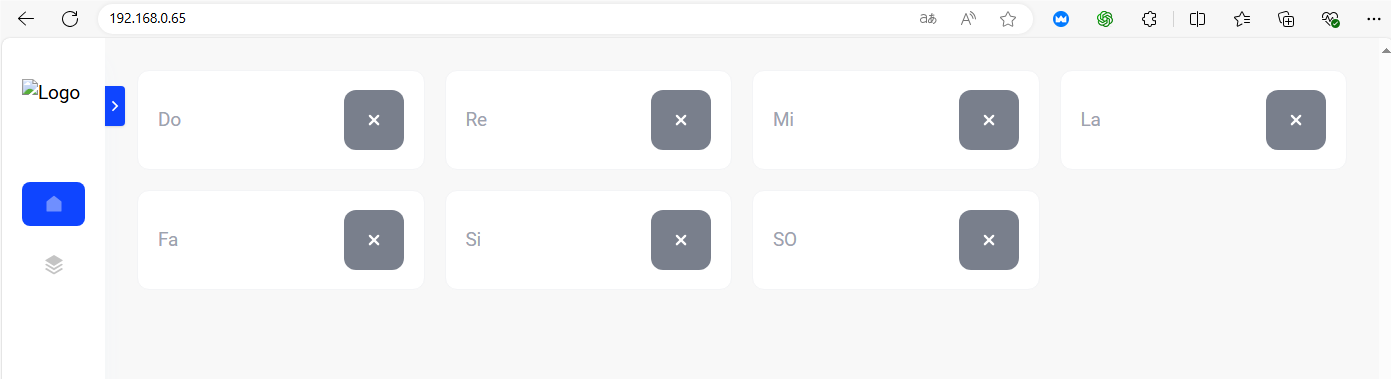
In this project, we set seven buttons to control the speaker to play tones of Do, Re, Mi, Fa, So, La, Si.
3.37.2 Test Code
3.37.2.1 Build Code
There are two ways to upload the code: directly open the code file we provide; or manually build blocks.
Directly open the code file we provide:
Click
 and choose
 Load from your computer
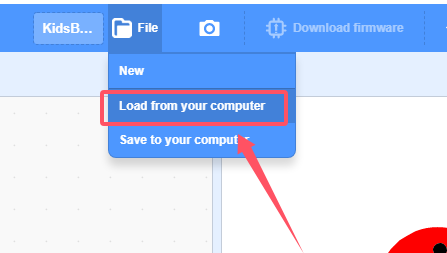
We have already downloaded the codes on computer desktop, so open the file and choose
3-37-wifiWebPiano.sb3
Manually build blocks:
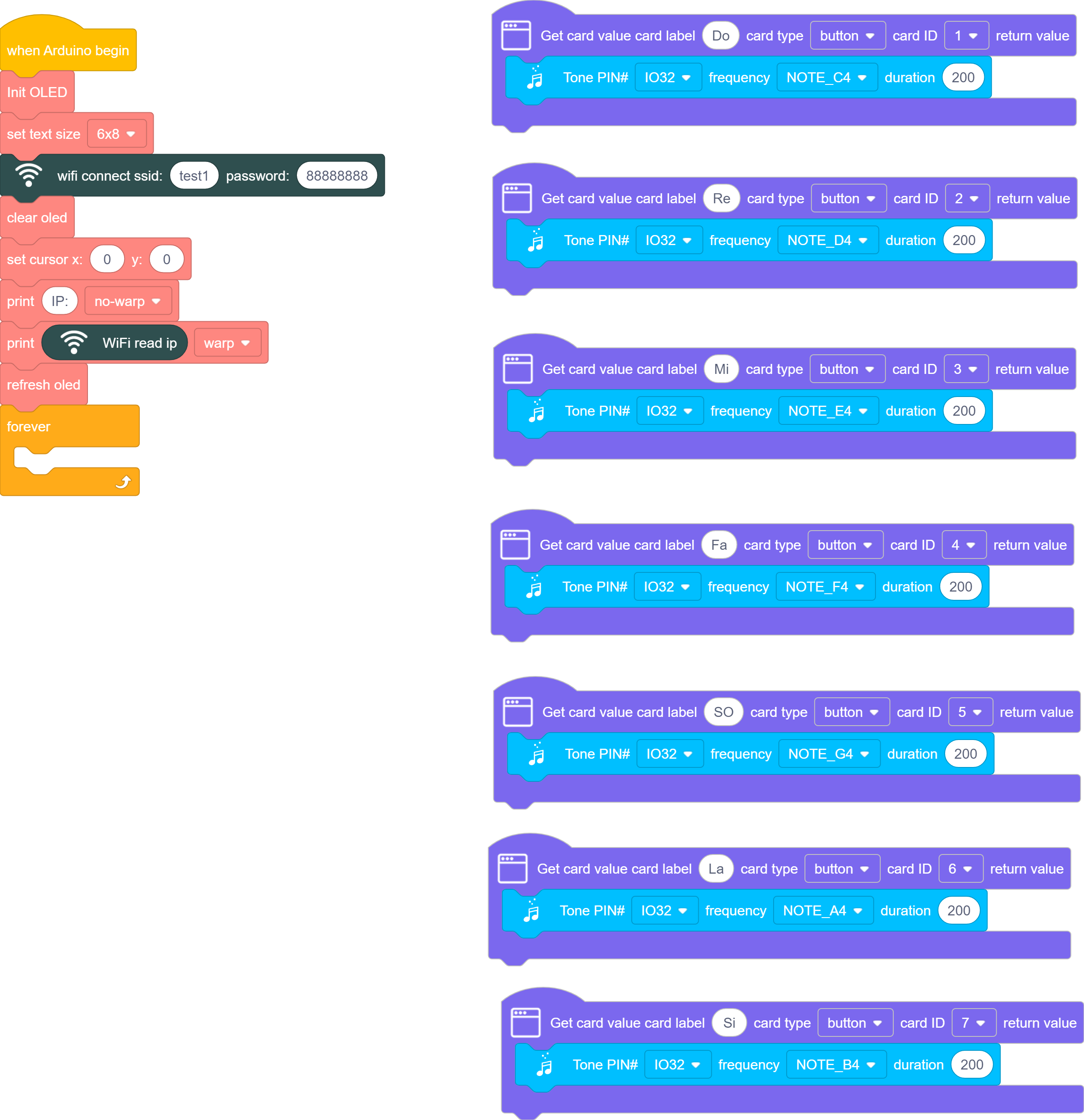
Initialize wifi and OLED module, display the IP address of the wifi on the OLED
define buttons through
 , modify the button names and functions, press buttons to play tones of Do, Re, Mi, Fa, So, La, Si.
Complete Test Code
3.37.2.2 Test Result
Upload the code, and the OLED shows the IP address after connecting to wifi.
Connect your computer/mobile phone and ESP32 to the same wifi, and you can access the IP address to see the control page through your device.