3.27 Auto-fan
3.27.1 Overview
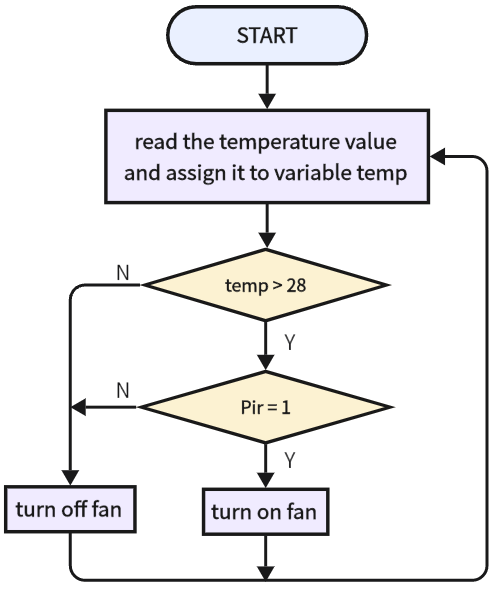
The weather is getting hotter in summer, so some public places will be equipped with some auto-fans that sense the ambient temperature value. When the temperature reaches a set value, he fan turns on. We add a PIR motion sensor to lower energy consumption. Thus, the fan will turn on only when the temperature reaches the value and someone is sensed nearby.
Now let’s do it!
3.27.2 Test Code
3.27.2.1 Code Flow
3.27.2.2 Build Code
There are two ways to upload the code: directly open the code file we provide; or manually build blocks.
Directly open the code file we provide:
Click
 and choose
 Load from your computer
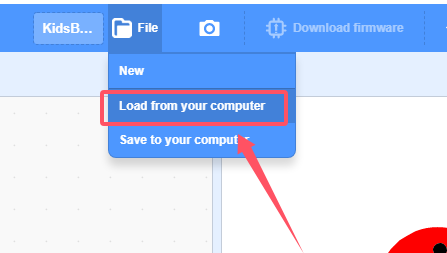
We have already downloaded the codes on computer desktop, so open the file and choose
3-27-automaticFan.sb3
Manually build blocks:
Build the two basic blocks:
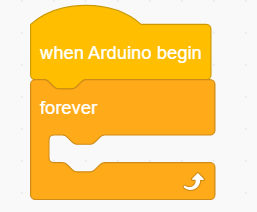
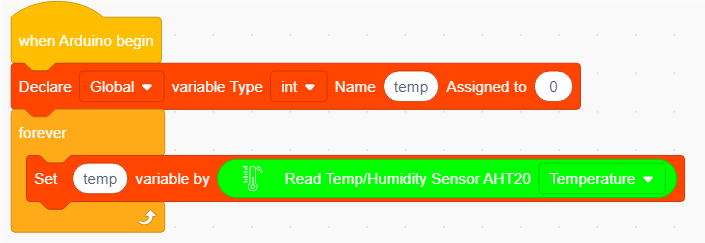
Declare a variable named “temp”
Assign the temperature value read by the sensor to the variable temp
Add a
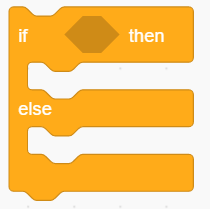 to determine whether the temperature value exceeds the set threshold. Add the code that turns off the fan in “else”.
Add another
to determine the PIR motion sensor value. If it is 1, the fan rotates. Or else, fan stops.
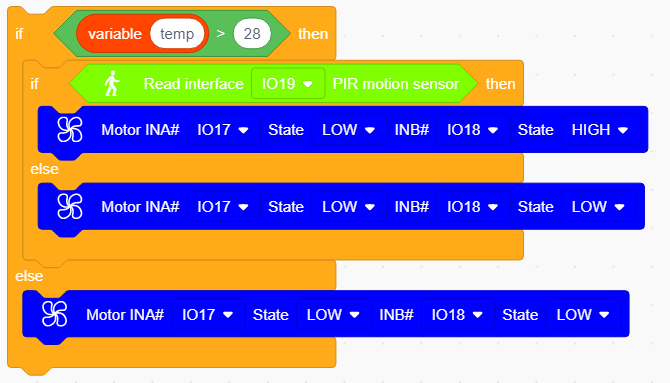
Complete Test Code
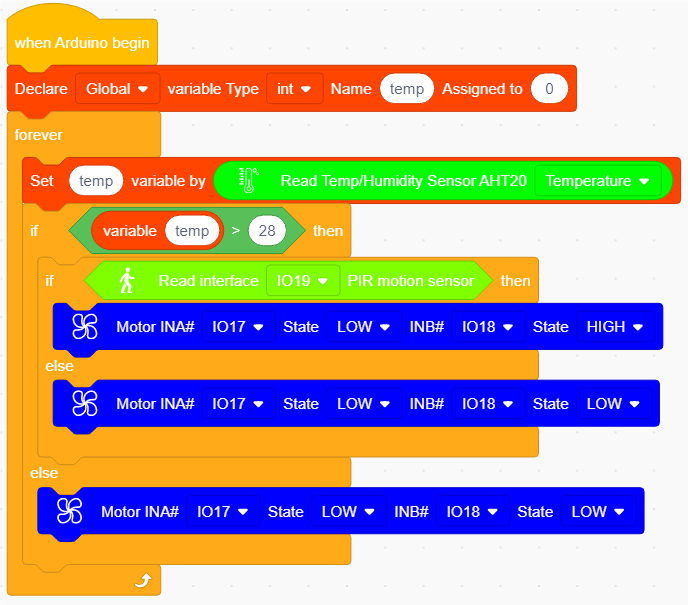
3.27.2.3 Test Result
After uploading code, when the temperature value is higher than 28 and the PIR motion sensor detects someone, the fan turns on. If one of the two conditions are not satisfied, the fan will not rotate.