3.15 WS2818 RGB LED
3.15.1 Overview
WS2812 RGB LED is an external control LED integrating control circuit and light emitting circuit. It adopts single-line return-to-zero code communication, and supports 256 gray levels to display full-colors. The integrated chip inside each pixels efficiently stabilizes color output. So it is widely used in lighting, display and decoration.
3.15.2 Schematic Diagram
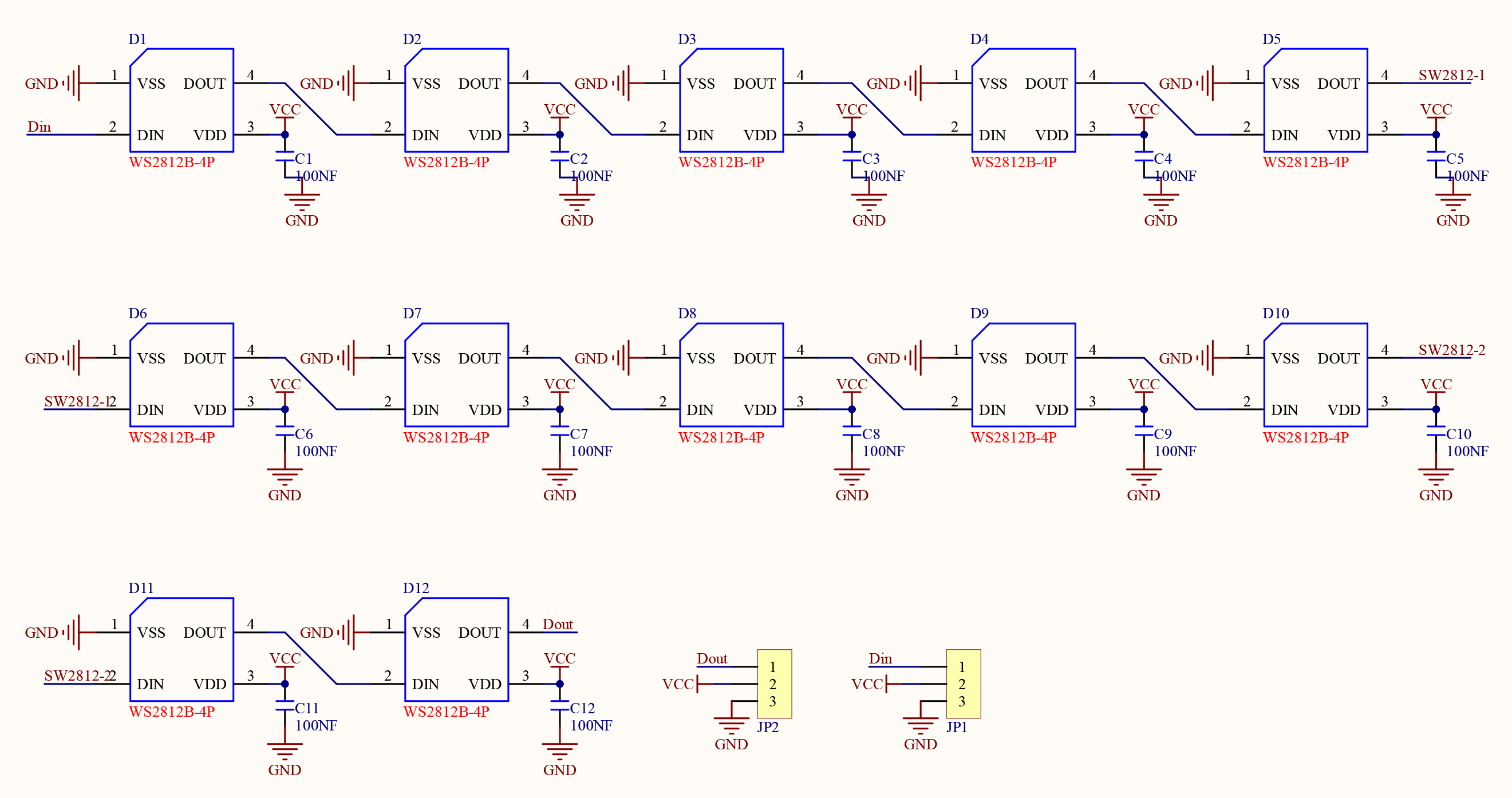
From the Schematic Diagram, ws2812 connects and transmits data over a single wire, which is the communication method named single-bus return-to-zero code (single NZR). The data enters in serial through the DIN port, and each pixel receives and processes 24 bits data (R, G, B color channels with 8 bits each).
For detailed information of transmission mode, please refer the specification of ws2812.
3.15.3 Code Blocks

This block initialize the ws2812 module. You only need to set its numbers and pin.

This module appoints one certain ws2812 pixel to light up. You only need to input the ws2812 pixel number (starting from 0) and set its color.

This block appoints a certain range of ws2812 pixels to light up. You only need to input two ws2812 pixel number (a starting and a ending pixel) and set their colors.

This block sets colors of the LED. Three parameters (R, G, B) should be set.

This block sets the brightness of ws2812 pixels. Its range is 0 ~ 255.

This block turns off all ws2812 pixels.

This block refreshes the state of each ws2812 pixel. Before every part that controls pixels, this block should be added after them. Otherwise, they are invalid settings.
3.15.4 Test Code
3.15.4.1 Build Code
There are two ways to upload the code: directly open the code file we provide; or manually build blocks.
Directly open the code file we provide:
Click
 and choose
 Load from your computer
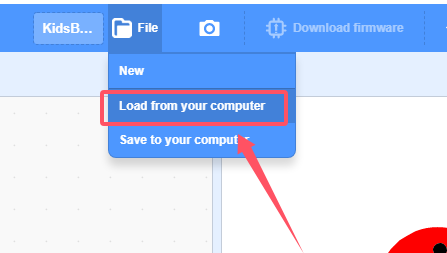
We have already downloaded the codes on computer desktop, so open the file and choose
3-15-rgbLed.sb3
Manually build blocks:
In
 , find
  block.
In
 , find and put under
In
, put under and set brightness to 50 to avoid glaring.In
 , put
, put  under
under
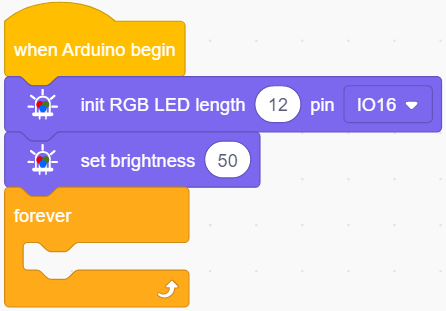
In
, put into , and set pixel to 0 and color to red.In
, add a to refresh the above settings so that ws2812 will light up.
Complete Test Code
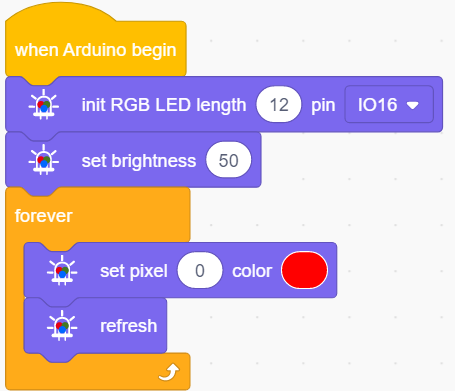
3.15.4.2 Test Result
After uploading code, the first pixel of ws2812 lights up in red.
3.15.5 Extension
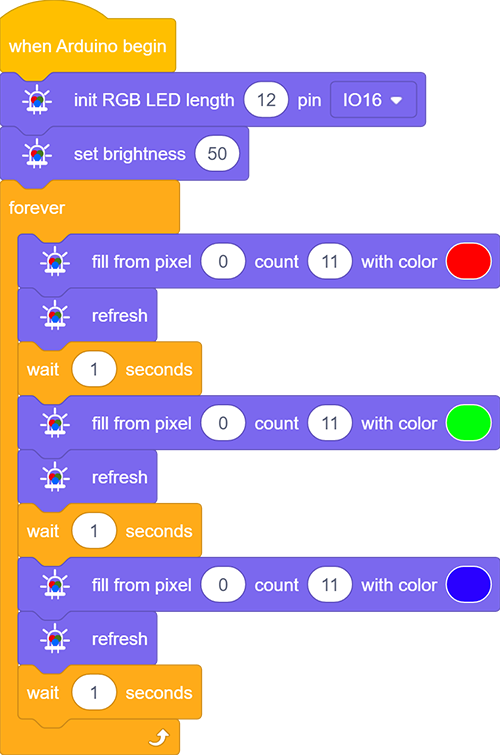
Light up all LED circulating red, green, and blue.
3.15.5.1 Test Code
There are two ways to upload the code: directly open the code file we provide; or manually build blocks.
Directly open the code file we provide:
Click
and choose Load from your computer
We have already downloaded the codes on computer desktop, so open the file and choose
3-15-rgbLed2.sb3
Manually build blocks:
In
, find block.In
, drag and put under In
, drag and put under , and set brightness to 50 to avoid glaring.In
, put under
In
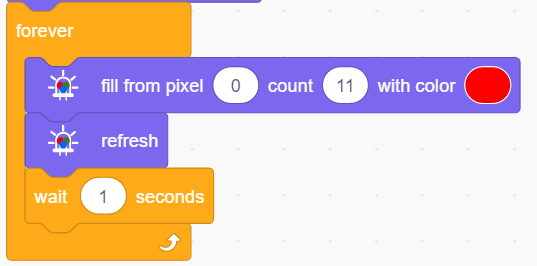
, put in , and set to fill pixel from “0” to “11”, and modify the color to red.In
, add a to refresh the above settings so that ws2812 will light up.Add a delay of 1S.
Duplicate
 and set the color to green.
Duplicate again
 and set the color to blue.
Complete Test Code
3.15.5.2 Test Result
After uploading code, ws2812 repeatedly lights up in red, green and blue with 1s each.