3.24 Button Control Fan
3.24.1 Overview
In this experiment, we program to control the fan by a button.
3.24.2 Test Code
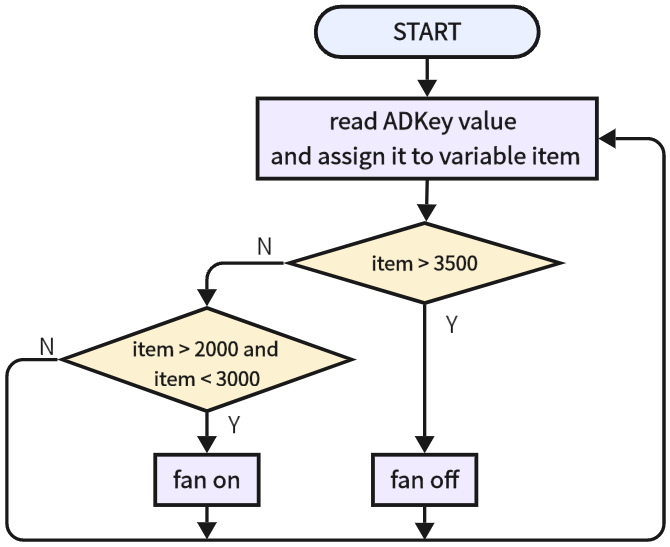
3.24.2.1 Code Flow
3.24.2.2 Build Code
There are two ways to upload the code: directly open the code file we provide; or manually build blocks.
Directly open the code file we provide:
Click
 and choose
 Load from your computer
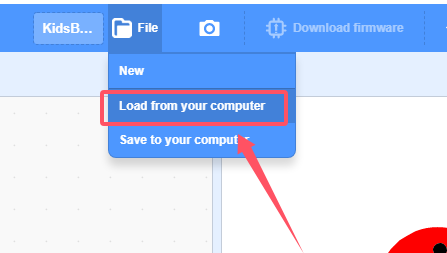
We have already downloaded the codes on computer desktop, so open the file and choose
3-24-electricFan.sb3
Manually build blocks:
Build the two basic blocks:
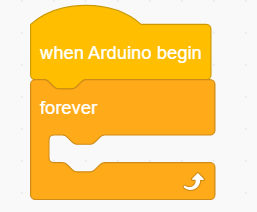
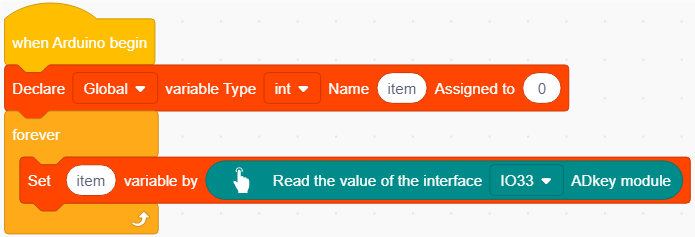
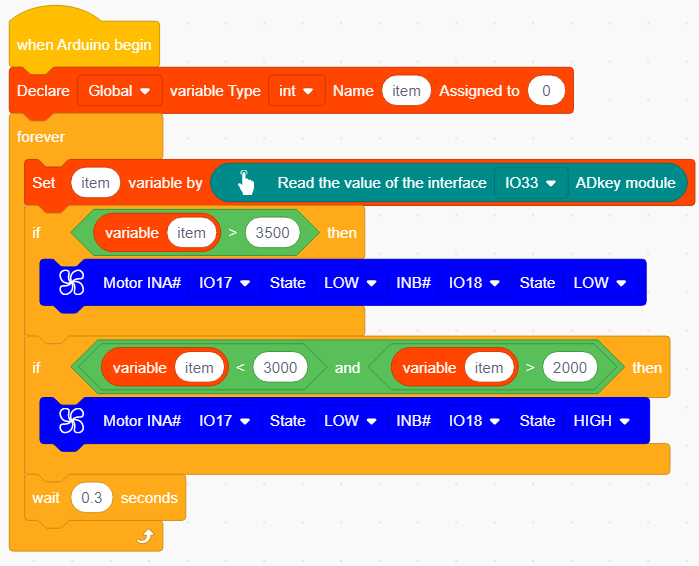
Declare a variable and name to item, and assign the analog value read by ADKey to it.
Add a
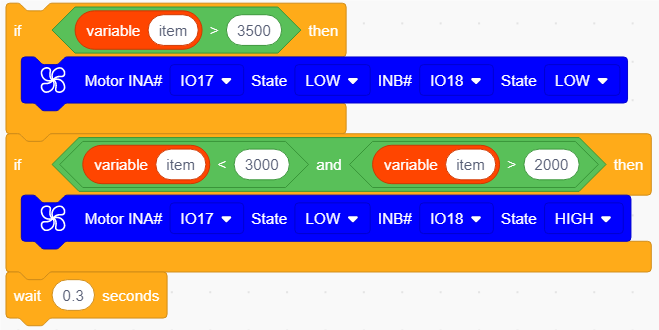
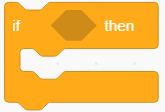 to determine the value of item. When item > 3500 (the red button is pressed), the fan stops. When item > 2000 & item < 3000 (the yellow button is pressed), the fan rotates.
At last, add a delay of 0.3s.
Complete Test Code
3.24.2.3 Test Result
After uploading code, when we press the yellow button, the fan will turn on. When we press the red button, the fan stops working.