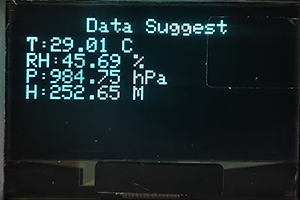
3.28 Environment Monitoring
3.28.1 Overview
In this project, we use an OLED display to reveal the values of temperature, humidity, air pressure and altitude in the environment. It can be regarded as a mini environmental monitoring device.
3.28.2 Test Code
3.28.2.1 Build Code
There are two ways to upload the code: directly open the code file we provide; or manually build blocks.
Directly open the code file we provide:
Click
 and choose
 Load from your computer
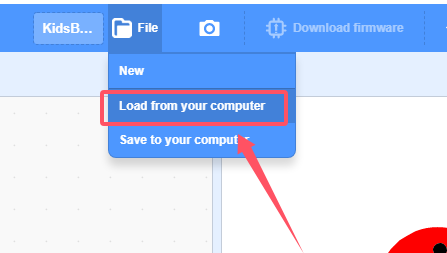
We have already downloaded the codes on computer desktop, so open the file and choose
3-28-environmentalMonitoring.sb3
Manually build blocks:
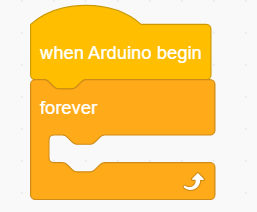
Build the two basic blocks:
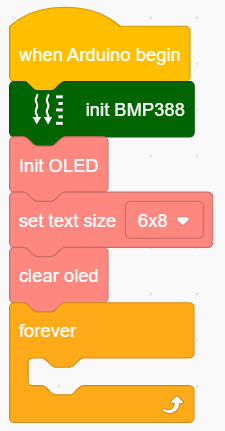
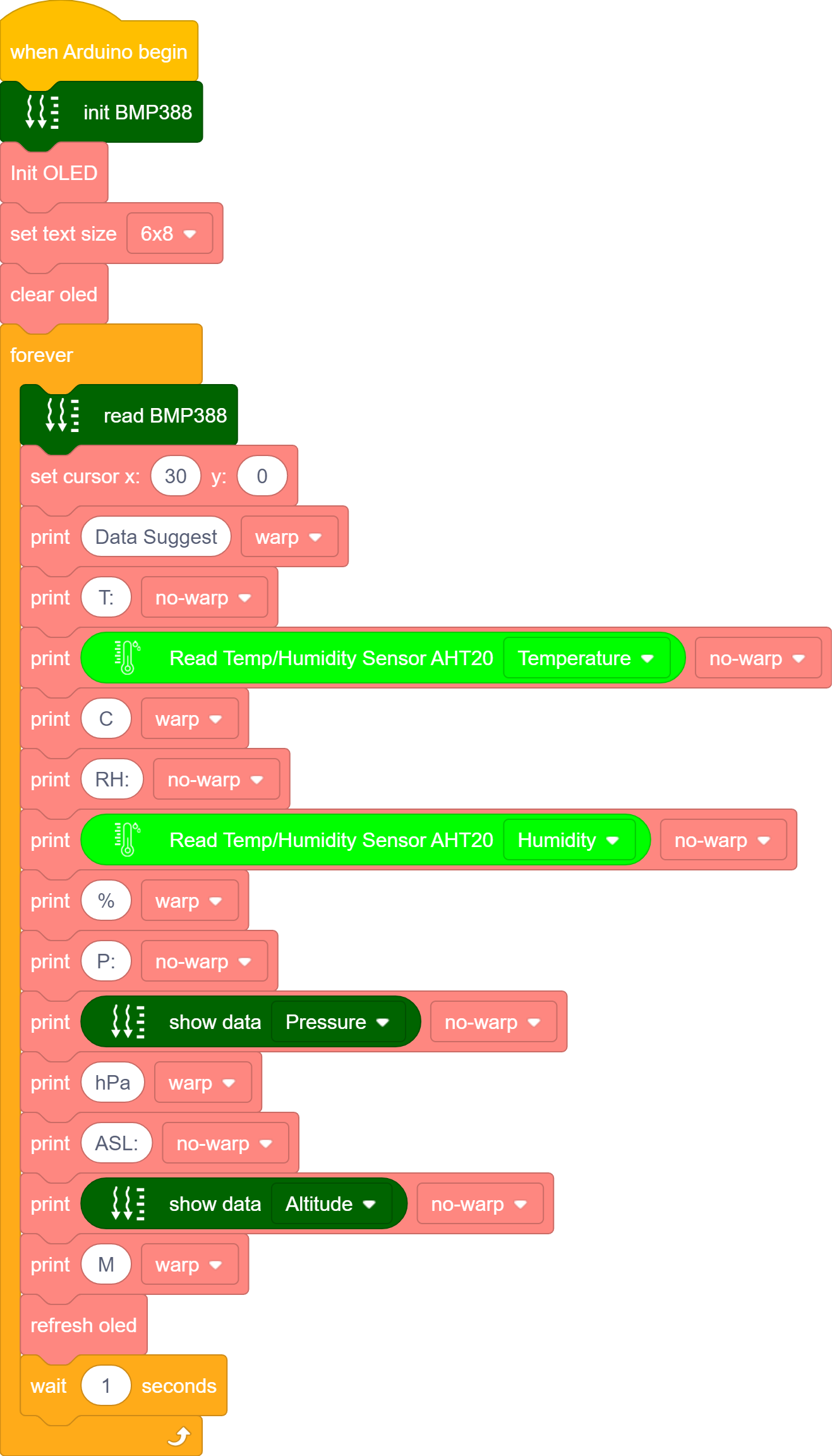
Add a BMP388 and OLED initialization block; Add a string block to set its parameters.
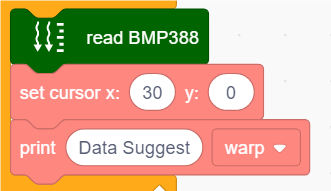
Read BMP388 module value, and display “Data Sugges” in the center of the first line of OLED. Centered: set cursor to x=30 (the starting cursors vary with strings).
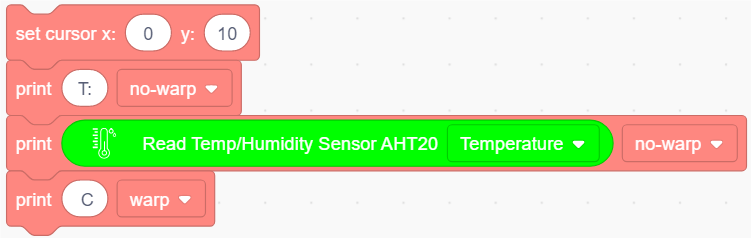
Set the starting position of displayed values (Y from 10: the height of the first line).
Add 3 OLED display blocks and set the display of the first two to “no-warp”, set the first line of code to display “T:” (indicating temperature)
The second line shows the temperature value. The third line shows “C” (temperature in degrees Celsius) and print in “warp” mode.
 .
.Duplicate
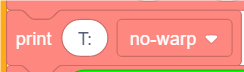 and modify the content in the first line into “RH:(humidity value)”; The second line will show the humidity value. The third line shows the unit of the value “%”.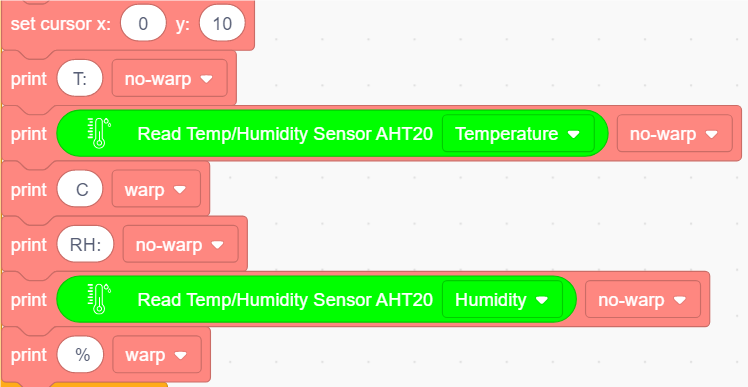
Duplicate
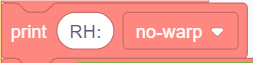 and modify the content in the first line into “P:(pressure)”, The second line will show the value. The third line shows the unit of the value “hPa”.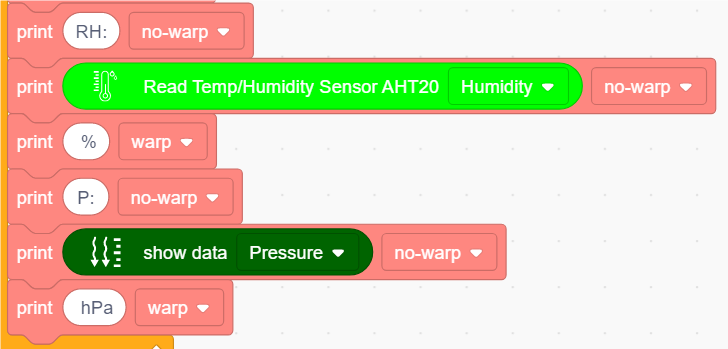
Duplicate
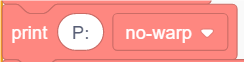 and modify the content in the first line into “ASL:(altitude value)”, The second line will show the value. The third line shows the unit of the value “M”(meter).
Add a OLED refresh block and add a delay of 1s.
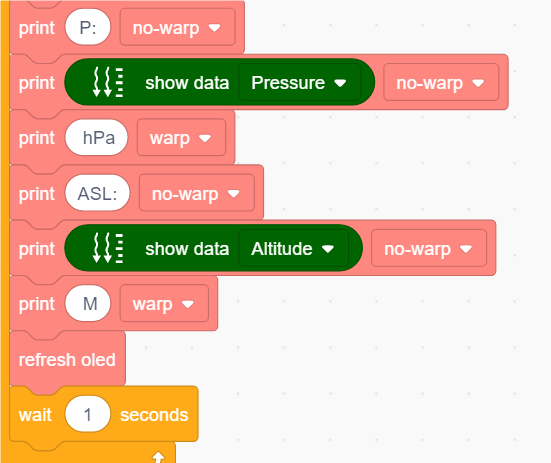
Complete Test Code
3.28.2.2 Test Result
After uploading code, you will see the values of temperature, humidity, air pressure and altitude on the OLED display.