3.31 Joystick Control Servo
3.31.1 Overview
We control the servo via the axis X of the joystick. This model is widely applied to mechanical ON/OFF of lights and doors.
3.31.2 Test Code
3.31.2.1 Code Flow
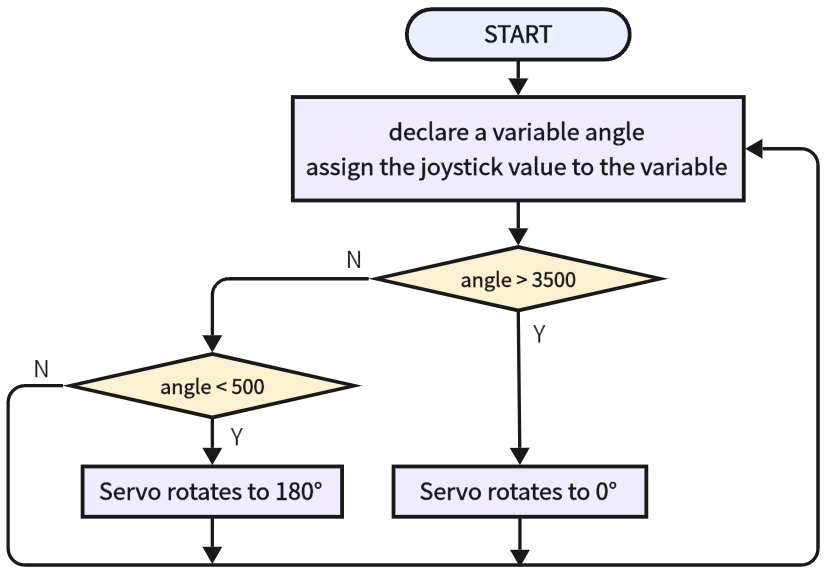
3.31.2.2 Build Code
There are two ways to upload the code: directly open the code file we provide; or manually build blocks.
Directly open the code file we provide:
Click
 and choose
 Load from your computer
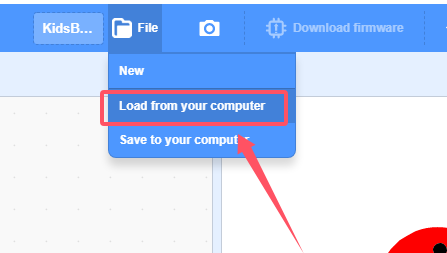
We have already downloaded the codes on computer desktop, so open the file and choose
3-31-remoteControlServo.sb3
Manually build blocks:
Build the two basic blocks:
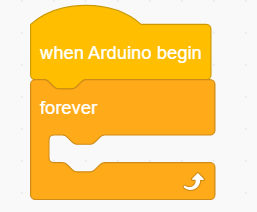
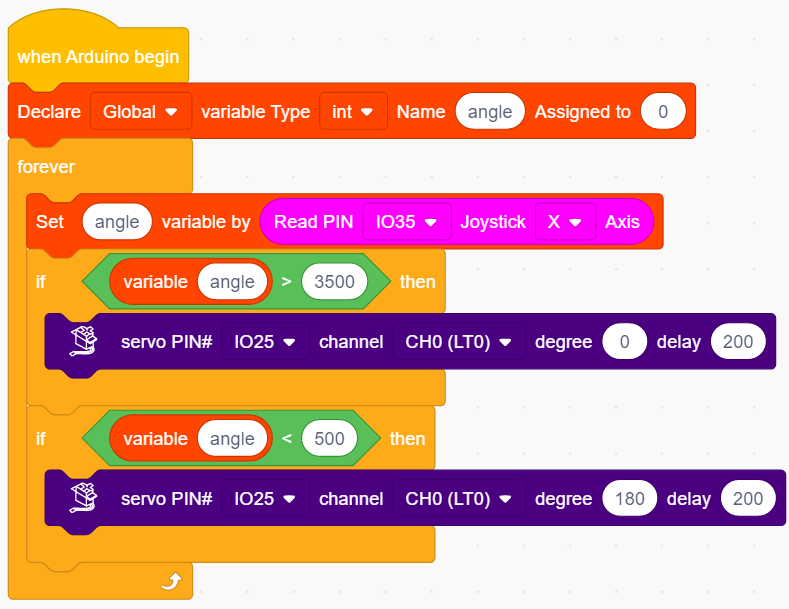
Declare a variable angle and assign the x value of joystick to angle.
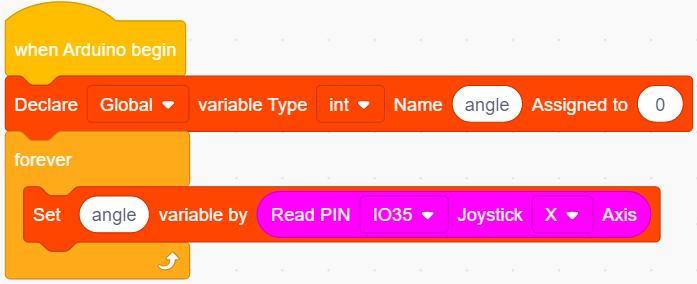
Add a
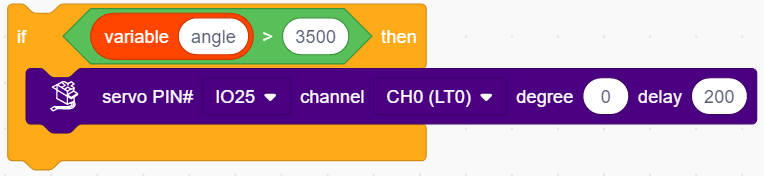
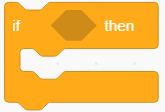 to determine whether angle > 3500. If yes, servo rotates to 0 degree.
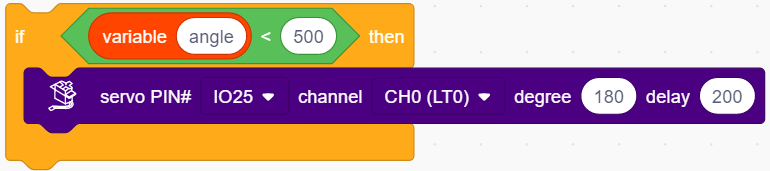
Add a
to determine whether angle < 500. If yes, servo rotates to 180 degree.
Complete Test Code
3.31.2.3 Test Result
After uploading code, push the joystick to the left and the servo rotates to 180 degree. Push it to the right and the servo rotates to 0 degree.