3.10 Temperature and Humidity Sensor
3.10.1 Overview
AHT20 temperature and humidity sensor adopts I2C interface and 20Bit ADC, and its operating voltage is 2V-5V. It features small volume, stable performance and high precision (accuracy: temperature ±0.3℃, humidity ±2%RH). So it is widely used in smart home, consumer electronics, medical and automotive. The sensor is stable and can work in harsh environments.
3.10.2 Schematic Diagram
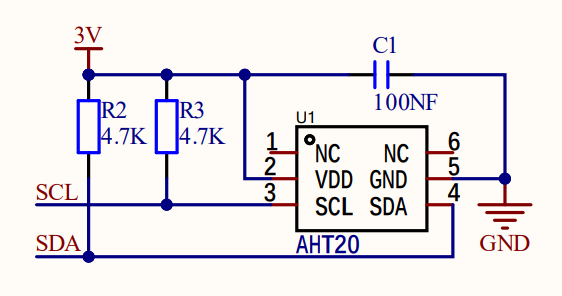
ATH20 temperature and humidity sensor transmits data via I2C interface, and it works according to resistive and capacitive technology. It detects the temperature because the material’s conductivity changes with temperature, and it reflects humidity through the change in the capacitance value. The temperature measurement range is -40 ° C to +85 ° C with accuracy of ±0.3 ° C, and the humidity range is 0% ~ 100%RH ±2%RH. Besides, it features high accuracy, high reliability and long-term stability. With I2C protocol, ATH20 provides real-time and accurate temperature and humidity data under a variety of environmental conditions.
3.10.3 Code Blocks

This block reads reads the temperature and humidity values. But it only reads one of them at once.
3.10.4 Test Code
3.10.4.1 Build Code
There are two ways to upload the code: directly open the code file we provide; or manually build blocks.
Directly open the code file we provide:
Click
 and choose
 Load from your computer
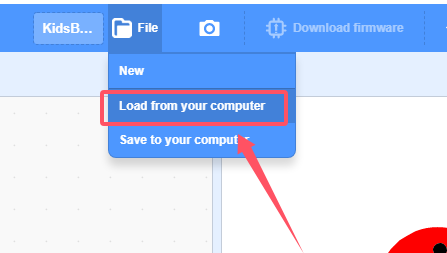
We have already downloaded the codes on computer desktop, so open the file and choose
3-10-aht20.sb3
Manually build blocks:
In
 , find
  block.
In
 , find
  block and set baud rate to 9600, and put it under .
In
 , drag
  .
.

In
, put  in , and set to print “T: ” in no-warp mode.
Add another
 and set to no-warp
In
 , put into the printing box of to read “Temperature”.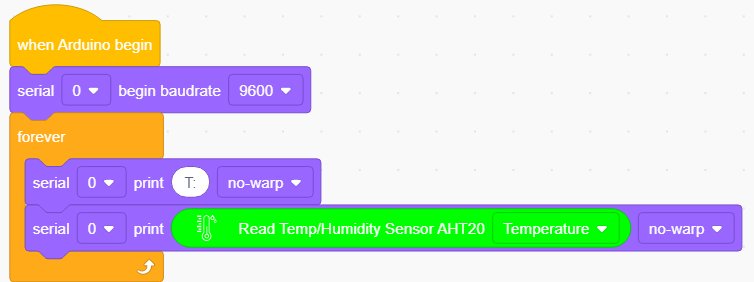
Duplicate
 and change “T: ” into “ RH:”(the two spaces separates the two values to be output). Read “Humidity” value.
Add a delay of 1S for better observing the results.
Complete Test Code
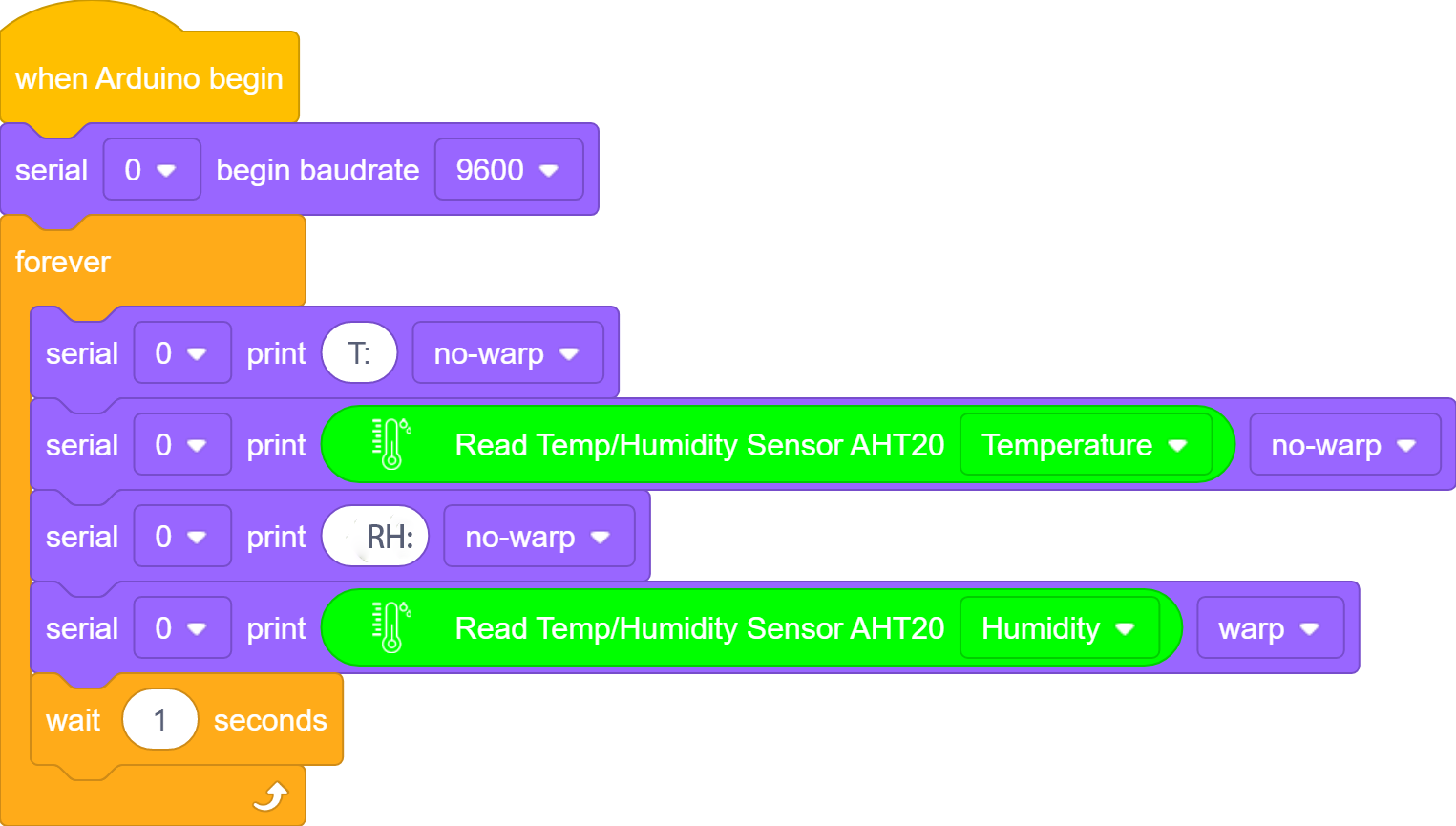
3.10.4.2 Test Result
After uploading code, the serial monitor prints temperature and humidity values and refreshes the results per second.