3.33 Compass
3.33.1 Overview
The AK8975 module is adopted to read direction values. According to these values, the OLED displays different arrows.
3.33.2 Test Code
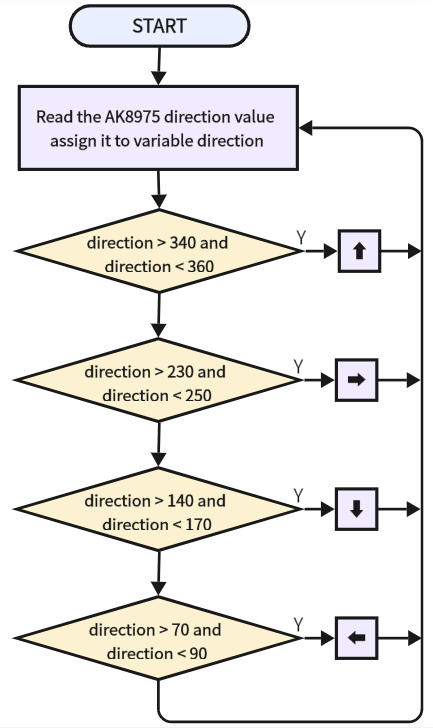
3.33.2.1 Code Flow
3.33.2.2 Build Code
There are two ways to upload the code: directly open the code file we provide; or manually build blocks.
Directly open the code file we provide:
Click
 and choose
 Load from your computer
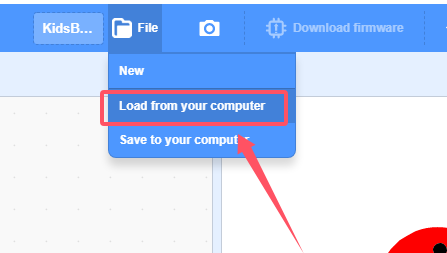
We have already downloaded the codes on computer desktop, so open the file and choose
3-33-compass.sb3
Manually build blocks:
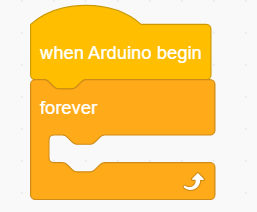
Build the two basic blocks:
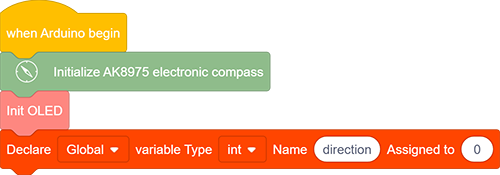
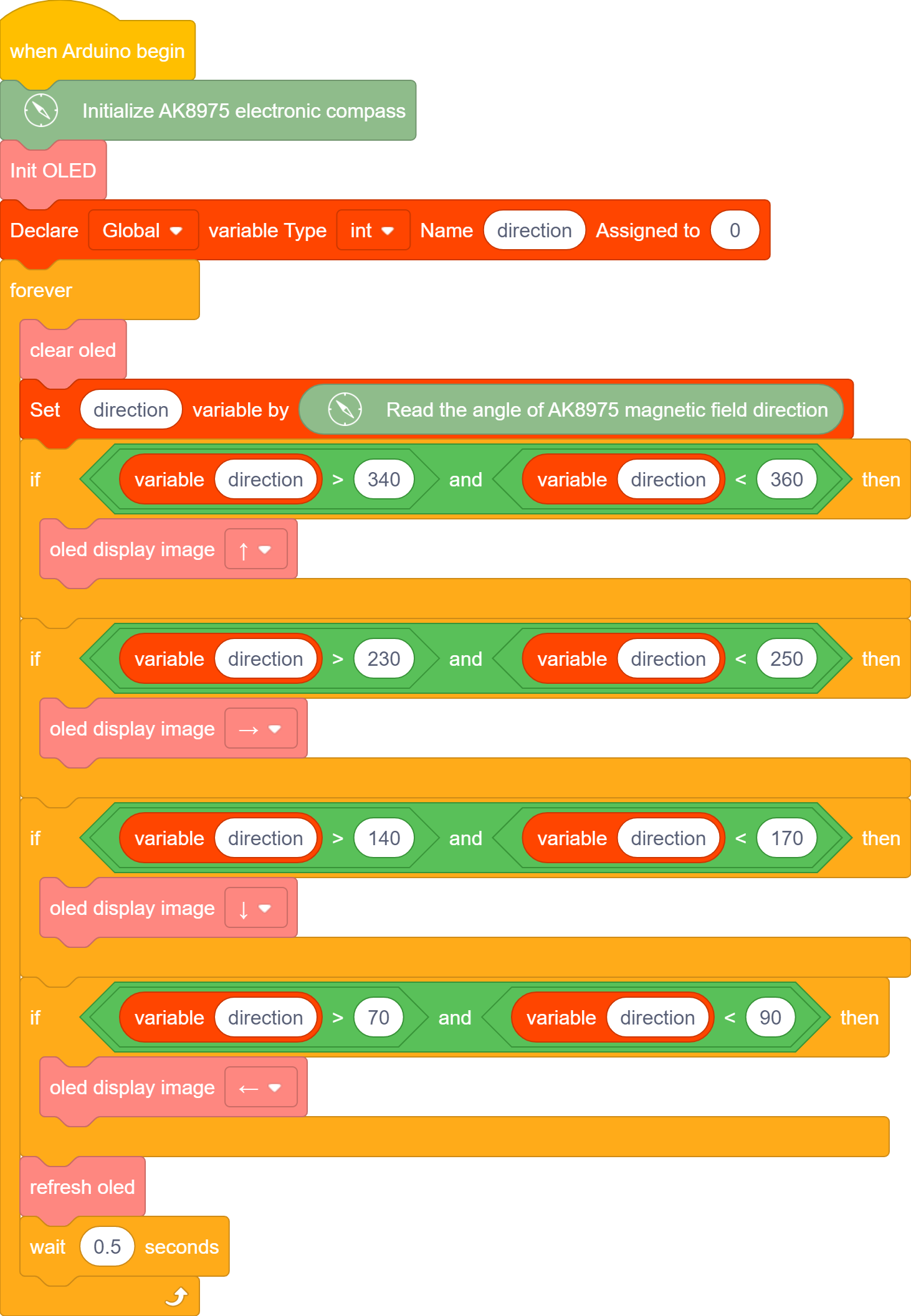
Initialize AK8975 module and OLED display, declare a variable “direction”.
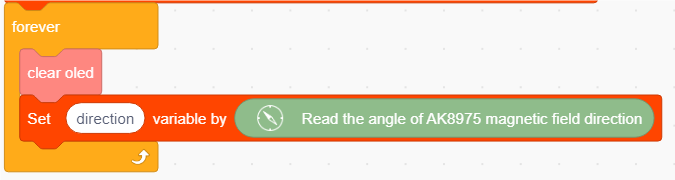
Clear the OLED, and assign the direction value of AK8975 to the variable direction
Add a
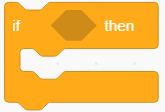 to determine whether 340 < direction < 360. If yes, OLED shows “↑”.
Block condition: direction > 340 and direction < 360
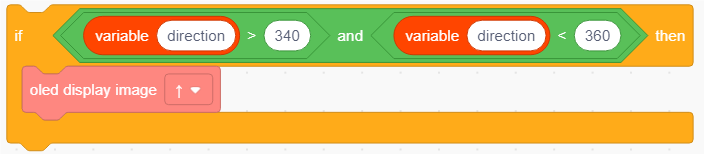
Duplicate blocks and determine whether direction > 230 and direction < 250. If yes, OLED shows “→”.
If direction > 140 and direction < 170, OLED shows “↓”.
If direction > 70 and direction < 90, OLED shows “←”.
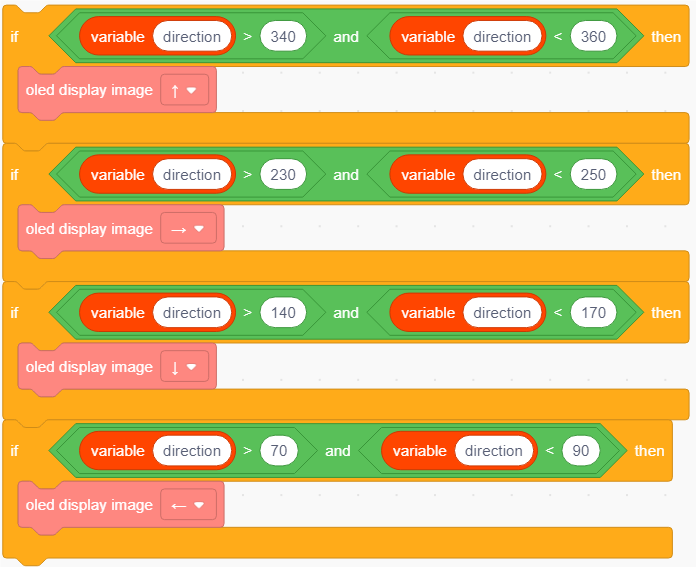
Add an OLED refresh block and add a delay of 0.5S.
Complete Test Code
3.33.2.3 Test Result
After uploading code, the arrow on the OLED will nearly point to the South. Move the coding box and you will see the direction changes.