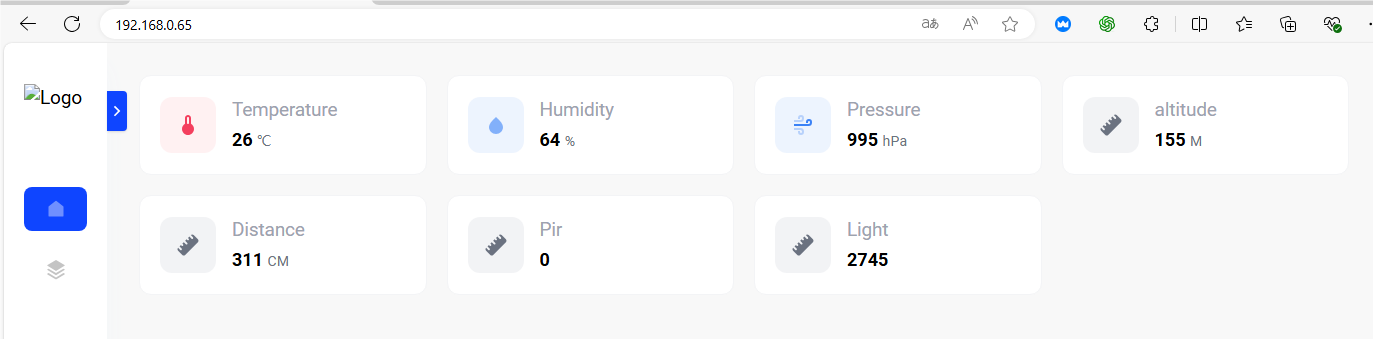
3.35 WiFi Real-time Display
3.35.1 Overview
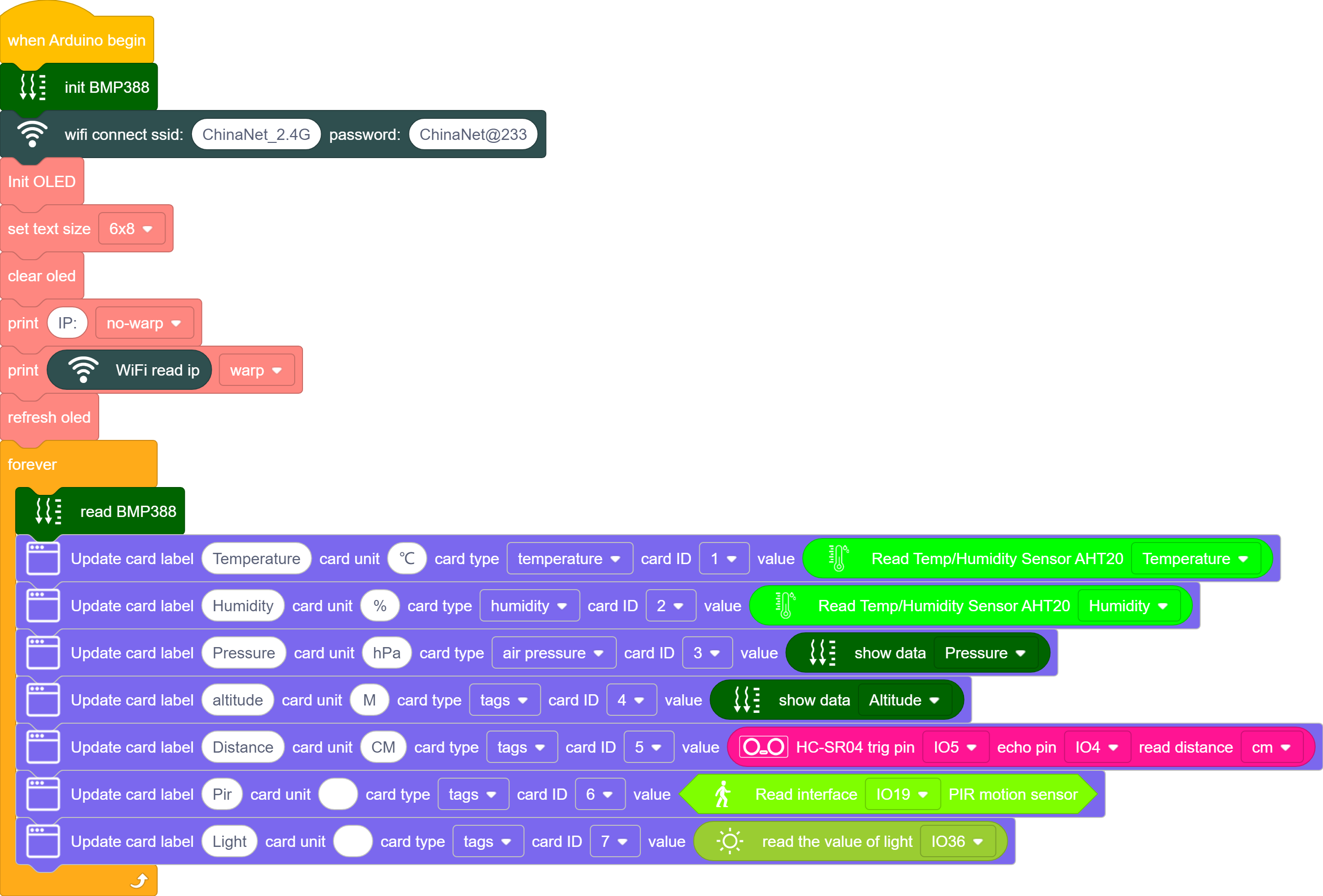
In this project, we display the values of temperature and humidity sensor, pressure sensor, photoresistor, sound sensor, PIR motion sensor and ultrasonic sensor on the web page.
3.35.2 Test Code
3.35.2.1 Build Code
There are two ways to upload the code: directly open the code file we provide; or manually build blocks.
Directly open the code file we provide:
Click
 and choose
 Load from your computer
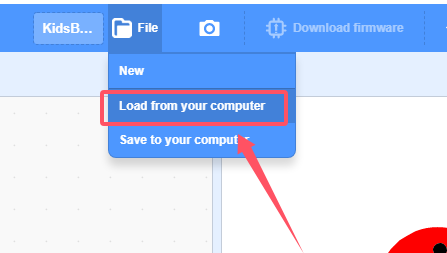
We have already downloaded the codes on computer desktop, so open the file and choose
3-35-wifiWebpageDisplay.sb3
Manually build blocks:
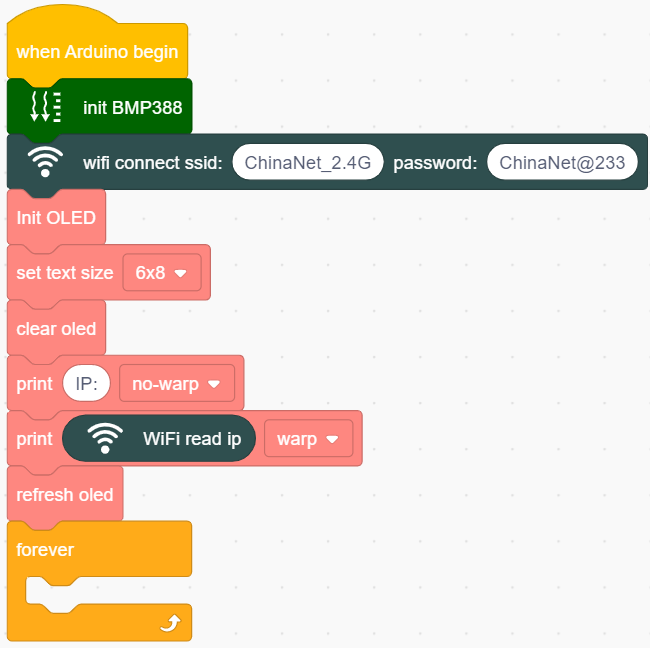
Initialize BMP388 and wifi, set the name and passwords of wifi.
Initialize OLED and display the IP address of the wifi on it.
set values on web page through block

3.35.2.2 Test Result
Upload the code, and the OLED shows the IP address after connecting to wifi.
Connect your computer/mobile phone and ESP32 to the same wifi, and you can access the IP address to see the values through your device.
If you are using a mobile phone hotspot, you can directly access the IP via the phone.