3.7 Ultrasonic Sensor
3.7.1 Overview
Ultrasonic sensor measures the distance of an object by sound waves. It boasts a transmitter and a receiver to emit sound waves and then measure the returned waves. The time difference between transmitting and receiving can be used to calculate the distance value. Beyond that, it is also used to detect the shape or presence of objects, build automatic doors, and measure flow rates and pressures.
3.7.2 Schematic Diagram
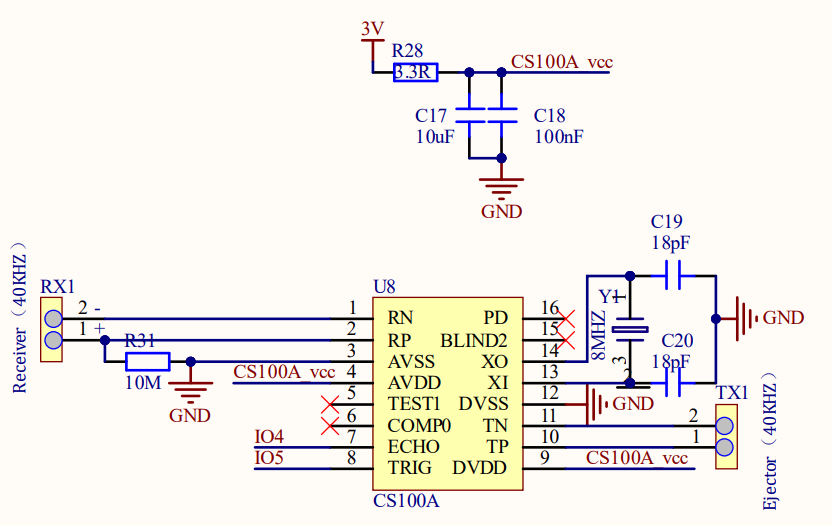
Working principle: Like bats, the ultrasonic sensor sends an ultrasonic signal with a high frequency that human cannot hear. If these signals encounter obstacles, they will immediately reflect back and be received by the sensor. After that, the distance between the sensor and the obstacle is calculated according to the time difference between signals transmitting and receiving.
Maximum detection distance: 3M
Minimum detection distance: 4cm
Detection angle: no greater than 15 degrees
3.7.3 Code Blocks
Blocks in  :
:
 is a block included in coding box library. It reads the distance values detected by the ultrasonic sensor in the coding box.
3.7.4 Test Code
You can manually build blocks, or directly open the code file we provide: 3-7-Ultrasonic.ubp. If you have any questions about how to open code files or upload code, please back to 1.9 Upload Code.
Build code blocks:
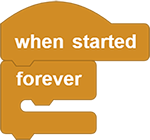
In
 , drag
  and
and  to the script area, and stack them together.
In
 , drag
  block and put it in .
Tap
 of the to add an output blank. In the first blank, enter
 distance:

In
, drag and place it in the second blank of .In
, drag  and put it under , and modify the delay to
 100ms.
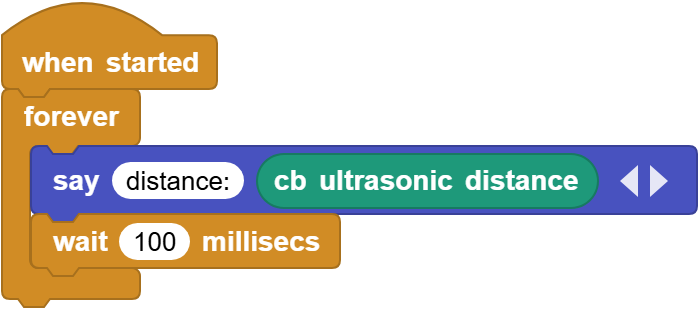
Complete code:
3.7.5 Test Result
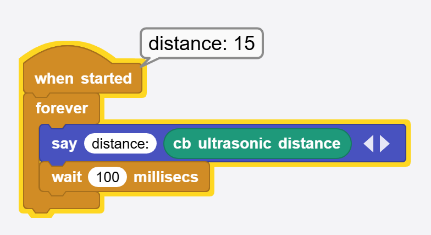
Connect the coding box to the MicroBlocks via USB or Bluetooth, and click  to upload the code to the coding box. If you wave you hand in front of the ultrasonic sensor or move back and forth, you can see the change in the printed distance values.